
Benefits of Cloud Solutions for Residential Customers
Cloud technology is no longer reserved for enterprise IT departments. Today, homeowners and families use cloud-based services every day—often without realizing it. From automatic photo backups on your phone to streaming your security-camera feeds while you are at work, the cloud quietly powers the modern connected home.
Below we break down the concrete benefits residential customers gain when they embrace cloud solutions, plus practical guidance on getting started with the right setup for your household.
What Cloud Solutions Actually Mean for Home Users
At its simplest, a cloud solution stores your data or runs an application on remote servers instead of—or in addition to—a device sitting in your home. Services like Google Drive, iCloud, Microsoft OneDrive, and Dropbox are everyday examples. But cloud solutions extend far beyond file storage: they include cloud-managed home networking equipment, remote security-camera recording, smart-home platforms, and even cloud-based PC gaming.
For residential customers in the Indianapolis area, a local IT partner like Maranatha Tech Solutions can design a cloud strategy that fits your household—whether that means setting up a hybrid NAS-and-cloud backup system or configuring a fully cloud-managed UniFi network.
1. Anywhere Access to Your Files and Media
One of the most immediate advantages of cloud storage is the ability to reach your documents, photos, and videos from any device with an internet connection. Whether you are on your home laptop, a tablet at a coffee shop, or your phone during a family vacation, everything stays synchronized in real time.
Cloud computing means end-users can access everything from files to business applications from any device that has an internet connection, and information syncs across all devices in real-time so there is no need to worry about data being out of date.
Real-World Example
A family stores all its vacation photos in a cloud library. Grandparents in another state can view new albums instantly, and every family member's phone automatically backs up new pictures overnight—no USB cables or manual transfers required.
2. Automatic Data Backup and Disaster Recovery
Hard drives fail. Laptops get stolen. Basements flood. Without an off-site backup, irreplaceable family photos, tax documents, and personal records can vanish in an instant.
Cloud backup runs continuously in the background, encrypting and uploading changes as they happen. If your hard drive crashes, you can retrieve all the critical files from the cloud. Many services keep multiple versions of each file, so even accidental deletions can be reversed.
What to Look For
- Versioning: The ability to restore previous versions of a file (usually 30–90 days of history).
- End-to-end encryption: Data is encrypted before it leaves your device.
- Automated scheduling: Backups run without you having to remember.
3. Lower Upfront Hardware Costs
Traditional home setups often required expensive external drives, NAS units, or even a dedicated home server. Cloud solutions shift that cost to a predictable monthly subscription—often just a few dollars per month for 200 GB to 2 TB of storage.
Cloud computing offers an opportunity for growth without having to invest in server hardware and setup costs. Residential customers enjoy the same economic advantage: instead of a large one-time purchase, you pay only for the capacity you need.
4. Enterprise-Grade Security for Your Home
Major cloud providers invest billions of dollars annually in physical data-center security, encryption, intrusion detection, and compliance certifications. Individual homeowners simply cannot match that level of protection on their own.
Cloud service provider data centers are typically highly secure and well protected against outsider and insider threats. When paired with strong passwords, two-factor authentication, and a properly configured home network, cloud storage is significantly safer than a single hard drive sitting on your desk.
Quick Security Checklist
- Enable two-factor authentication on every cloud account.
- Use a unique, strong password for each service (a password manager helps).
- Keep your home router firmware updated—or let a managed network solution handle it automatically.
- Review sharing permissions quarterly.
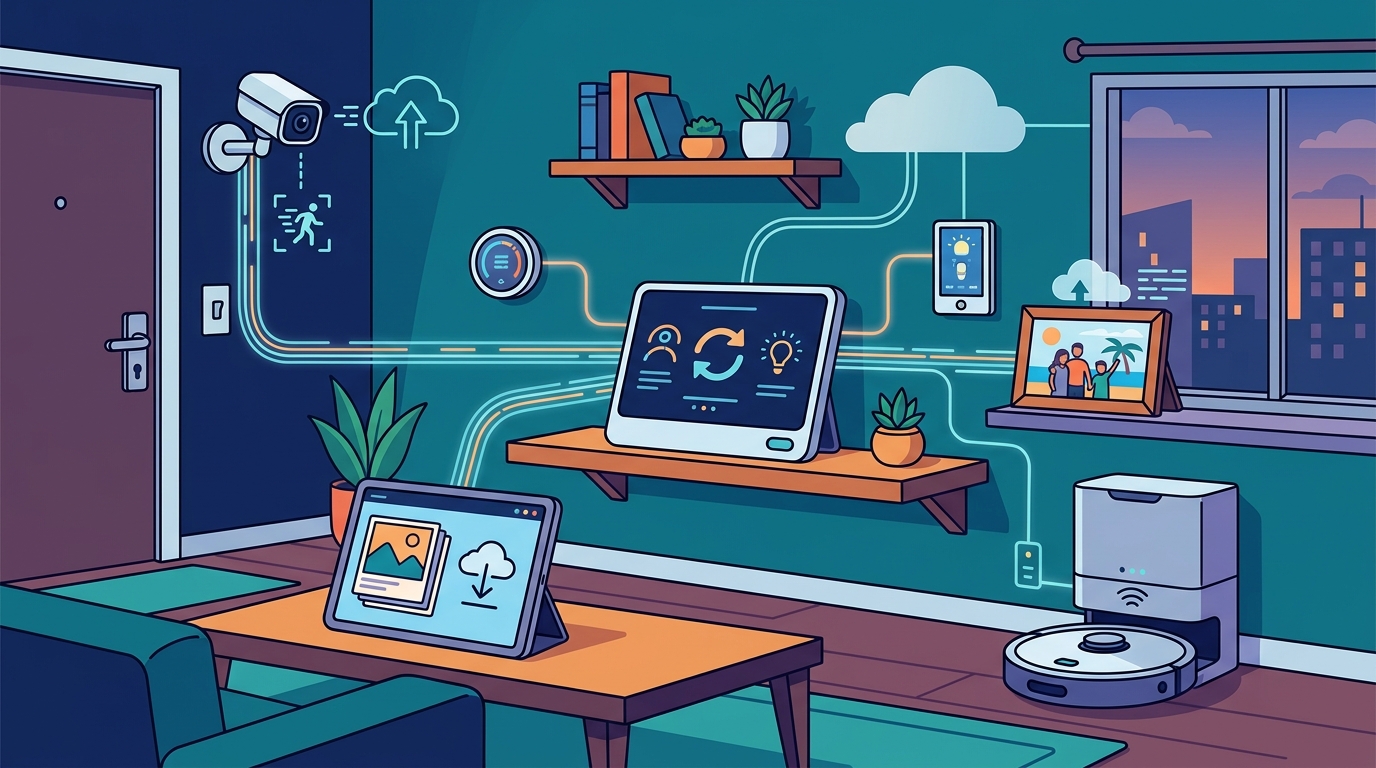
5. Smarter Home Automation and IoT Integration
Smart thermostats, video doorbells, voice assistants, and connected appliances all rely on cloud platforms to process data, learn your preferences, and deliver remote control. Cloud-connected IoT devices like smart thermostats, security cameras, and lighting systems enhance the customer experience by enabling remote monitoring and intelligent automation.
With a properly designed home network—such as a segmented VLAN setup through UniFi gear—your IoT devices stay isolated from your personal computers, adding an extra layer of security without sacrificing convenience.
6. Easier Family Collaboration and Sharing
Shared cloud folders make it simple for family members to collaborate on household budgets, school projects, grocery lists, or event planning. Changes appear instantly for everyone, eliminating the confusion of emailing file attachments back and forth.
Popular options include Google Workspace family plans, Microsoft 365 Family, and Apple iCloud+ Family Sharing—each bundling cloud storage with productivity apps, email, and calendar tools under a single subscription.
7. Storage That Grows with You
A physical hard drive has a fixed capacity. When it fills up, you buy another one. Cloud storage, on the other hand, scales on demand. Cloud services offer scalability and the ability to adjust to demand rapidly, so you simply upgrade your plan when your library of 4K videos or RAW photos outgrows the current tier.
Most providers offer seamless upgrades with no data migration required—your files stay exactly where they are, and you immediately gain more room.
8. Reduced Maintenance Headaches
Cloud platforms handle software updates, security patches, and hardware replacements behind the scenes. You never have to schedule downtime for a firmware update or worry about a failing disk in a RAID array.
Cloud-based solutions manage hardware and software updates, ensuring applications remain current while reducing both time and costs. For a residential customer, that translates to fewer weekend troubleshooting sessions and more time enjoying your technology.
Getting Started: A Practical Checklist for Homeowners
- Audit your current data. Identify what lives only on local devices—documents, photos, videos, financial records.
- Choose a cloud storage provider. Compare Google One, iCloud+, Microsoft 365, or Backblaze based on device ecosystem, storage tiers, and price.
- Set up automatic backups. Enable cloud sync on every device in the household.
- Secure your accounts. Activate two-factor authentication and create unique passwords.
- Optimize your home network. A reliable Wi-Fi network is the backbone of every cloud service. Consider a mesh system or professionally installed UniFi access points for full coverage.
- Consult a local IT professional. A provider like Maranatha Tech Solutions can assess your home network, recommend the right cloud mix, and handle the setup so everything works seamlessly from day one.
Key Takeaways
- Cloud solutions give residential customers access to their files, media, and smart-home controls from any device, anywhere.
- Automatic cloud backup protects irreplaceable data against hardware failure, theft, and natural disasters.
- Pay-as-you-go pricing eliminates large upfront hardware purchases and scales with your household's needs.
- Enterprise-grade encryption and data-center security far exceed what a single home device can provide.
- A solid home network is the foundation—professional setup ensures reliability and security.
- Local IT support in the Indianapolis area, such as Maranatha Tech Solutions, can tailor cloud strategies specifically for residential customers.
Frequently Asked Questions
What is a cloud solution in simple terms?
A cloud solution stores your data or runs software on secure remote servers instead of solely on your personal device. You access it over the internet, which means your files are available from any connected device and are protected by professional-grade security.
Are cloud services safe for personal files?
Yes. Major cloud providers use advanced encryption, multi-layered physical security, and continuous monitoring. When you add two-factor authentication and strong passwords on your end, cloud storage is generally more secure than keeping files on an unencrypted local hard drive.
How much does cloud storage cost for a home user?
Plans vary by provider. Google One starts at roughly $3 per month for 200 GB, iCloud+ at $1 per month for 50 GB, and Microsoft 365 Family at about $10 per month for 6 TB shared across six users. Many providers offer a free tier as well.
Do I still need a local backup if I use the cloud?
A hybrid approach is ideal. Keep a local backup (external drive or NAS) for fast restores and a cloud backup for off-site disaster recovery. This 3-2-1 backup strategy—three copies, two different media, one off-site—is the gold standard.
Can cloud solutions help with my smart home?
Absolutely. Smart-home devices like thermostats, cameras, and voice assistants rely on cloud platforms to store recordings, learn preferences, and enable remote control through mobile apps.
Does Maranatha Tech Solutions help residential customers with cloud setup?
Yes. Maranatha Tech Solutions provides comprehensive home IT services in the Indianapolis metro area, including cloud backup configuration, home network setup, smart-home integration, and ongoing support. They serve Westfield, Carmel, Fishers, Noblesville, and the greater Indianapolis region.